Using your Figma Template
If you’re new to Figma, don’t worry, you only need a free account and the template has been set up to make the branding process as simple as possible.
- Click the Figma file link in your deck to open the template and sign in to Figma, or create a free account if you don’t already have one.
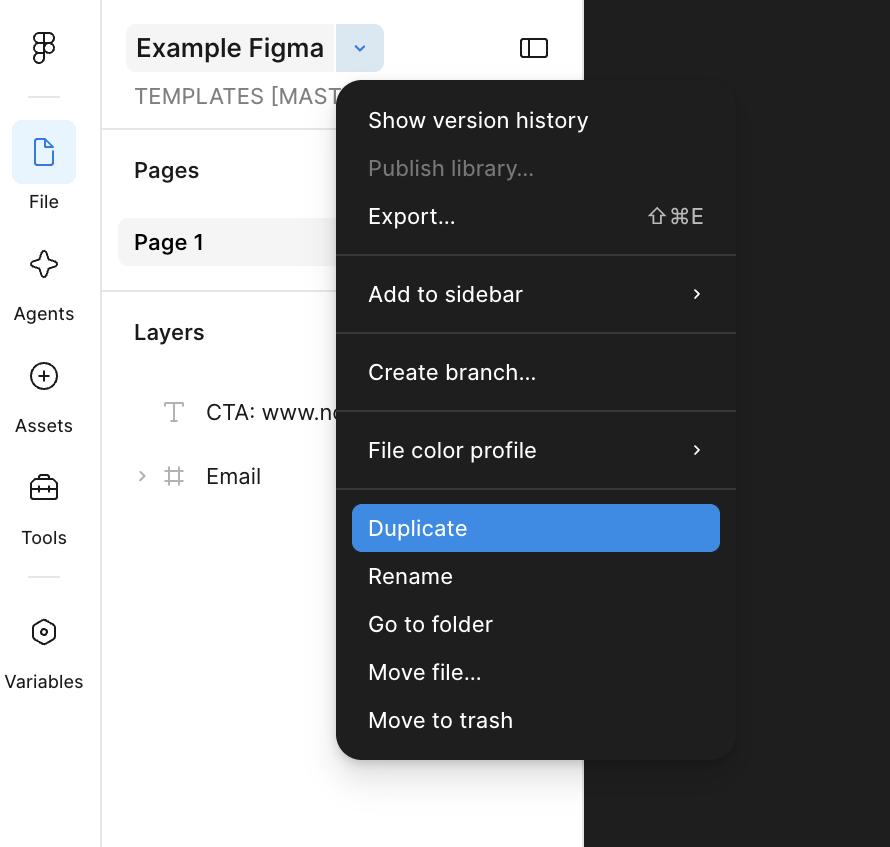
- Click the file name in the top-left corner and select:
a) Duplicate to drafts if you’re new to Figma, or
b) Duplicate if you already use Figma. - Open your duplicated copy and follow the instructions inside the file to add your branding and artwork.
- When you’re finished, save a local copy of the completed file and send the .fig file back to us.